Some instructors provide an eBook for their class. If your class includes an eBook, a card with the book’s name will appear on the Class Management page.
Accessing the eBook
To open the book, simply click the eBook Card. This launches the eReader, where you can read the book directly in your browser.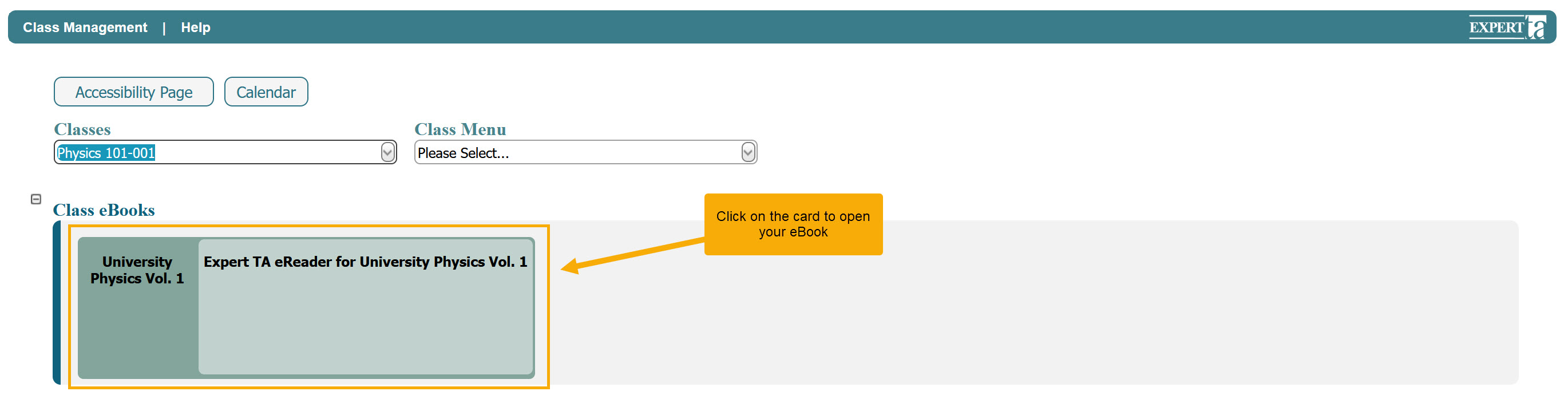
Key Features of the eReader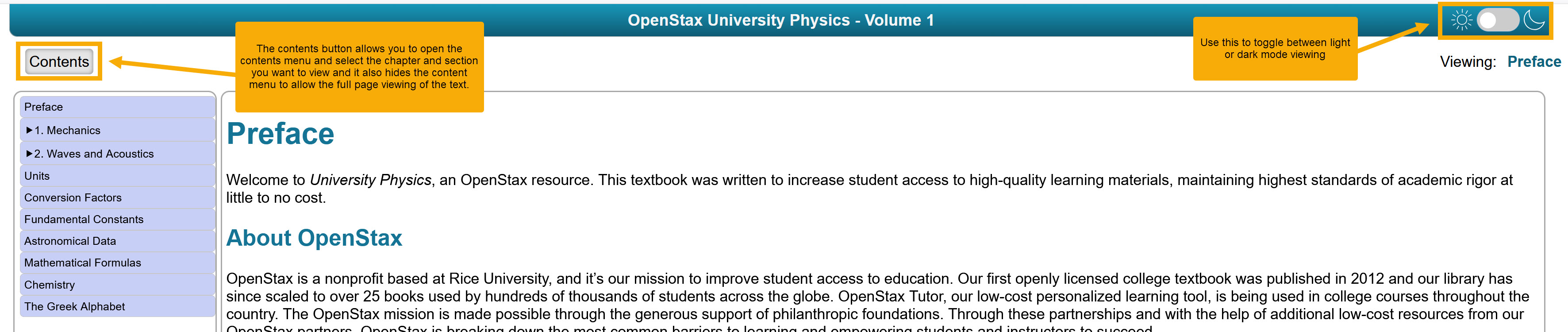
Light and Dark Mode: Switch between light and dark reading modes using the button in the upper right corner.
Contents Navigation: Click the Contents button to view chapters and sections. Selecting a chapter or section will take you there, and you can close the contents view to return to full-page reading.
Simple Interface: The eReader is designed for easy reading with minimal extra features, making it straightforward to use.
Was this article helpful?
That’s Great!
Thank you for your feedback
Sorry! We couldn't be helpful
Thank you for your feedback
Feedback sent
We appreciate your effort and will try to fix the article