The View Printable Assignment option lets you open a blank copy of an assignment that can be printed and completed manually. This is useful as a study tool or for practice, but it should not be used to submit work to your instructor unless they specifically direct you to do so.
To access it, click on the assignment name or the three vertical dots next to the assignment name to open the Assignment Menu. From the menu, select View Printable Assignment.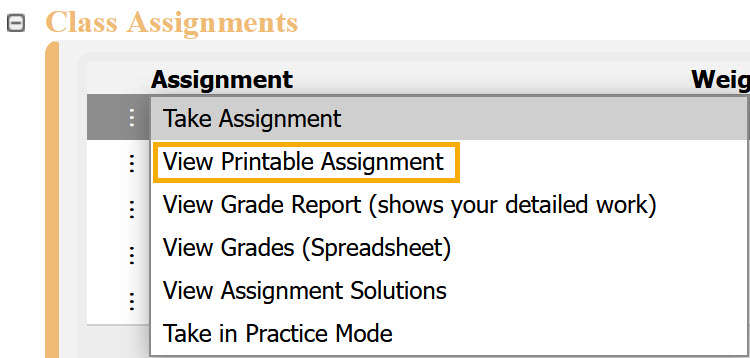
The printable assignment will open in a new screen, ready for you to print or review. To exit, click Class Management in the upper-left corner to return to the Class Management page.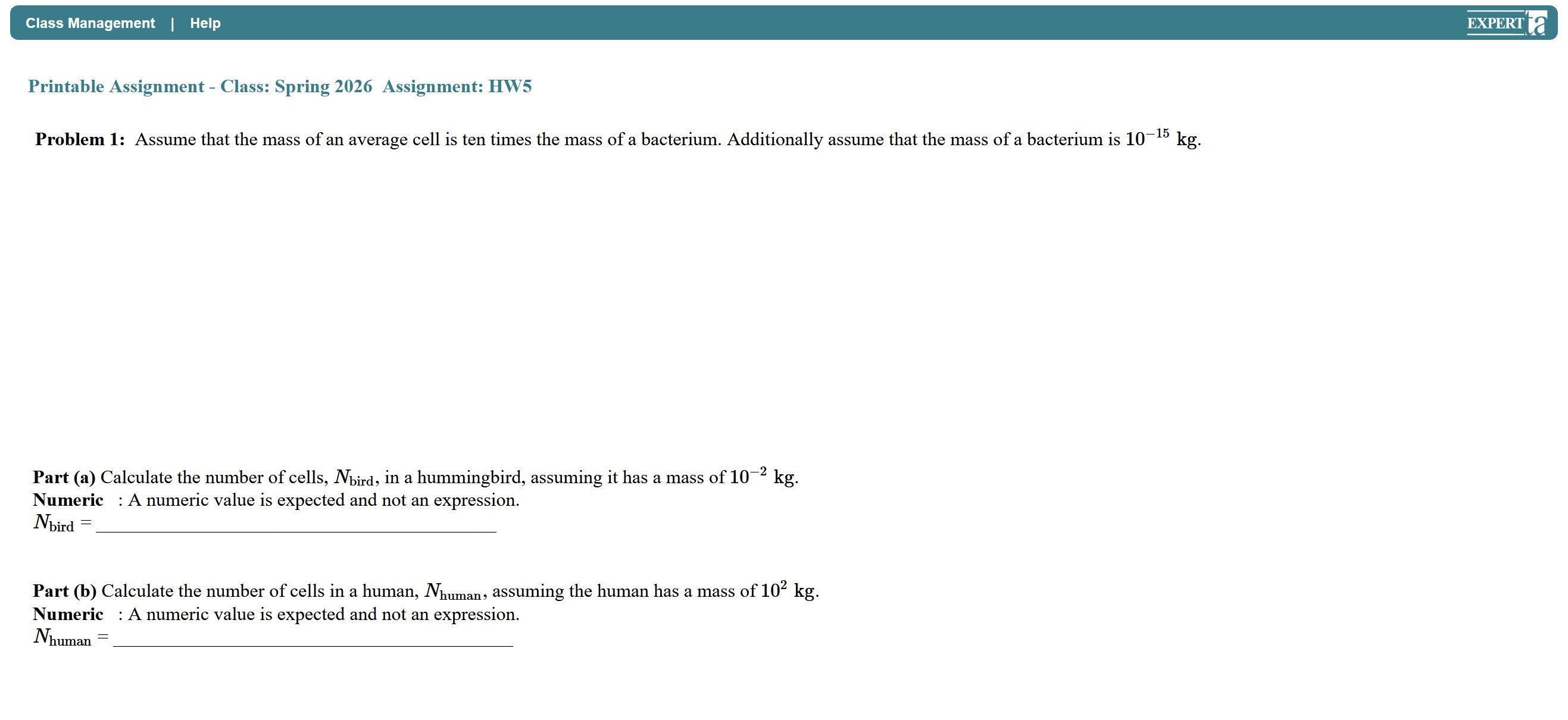
Note: This option may not be available for every assignment. Its availability depends on your instructor’s assignment preferences. 
Was this article helpful?
That’s Great!
Thank you for your feedback
Sorry! We couldn't be helpful
Thank you for your feedback
Feedback sent
We appreciate your effort and will try to fix the article