Expert TA now allows instructors to restore deleted assignments, including all student data associated with the assignment.
After an assignment has been deleted, a link called Restore Deleted Assignments will appear above and to the right of Class Assignments.

Clicking the Restore Deleted Assignments link will open a screen showing all deleted assignments for that class. Select the checkbox next to the assignment you want to restore, then click Perform Restore to restore the assignment, or click Cancel to exit without restoring any assignments.
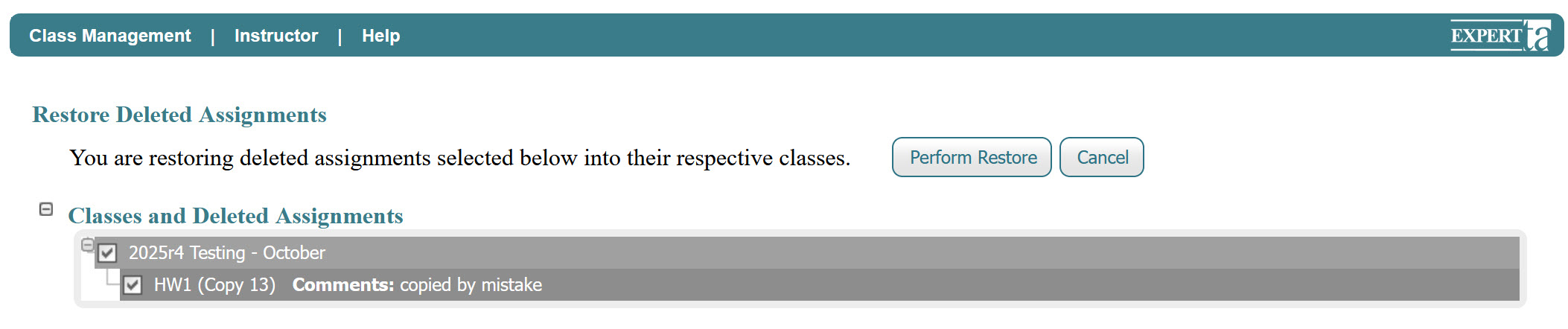
After clicking Perform Restore, a pop-up notification will appear asking you to confirm the restore. Click OK to continue or Cancel to exit without restoring the assignment.
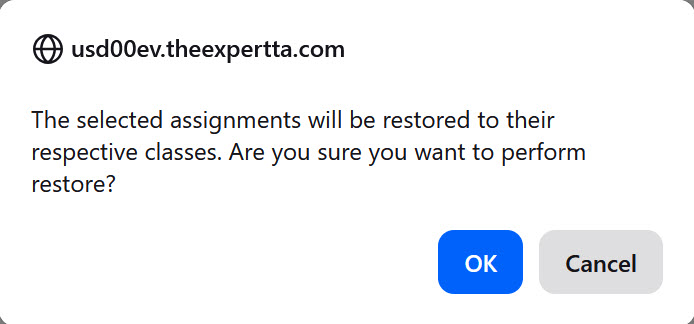
Once you click OK, a final pop-up notification will appear advising whether the restoration was successful or unsuccessful.

Was this article helpful?
That’s Great!
Thank you for your feedback
Sorry! We couldn't be helpful
Thank you for your feedback
Feedback sent
We appreciate your effort and will try to fix the article