Expert TA uses registration links to register students and TAs into their courses. Registration links are unique to each individual class created in Expert TA.
To view the registration information for your class:
- First, select your class from the Classes drop-down on the Class Management page.

- Next, select Student/TA Registration from the Class Menu drop-down.
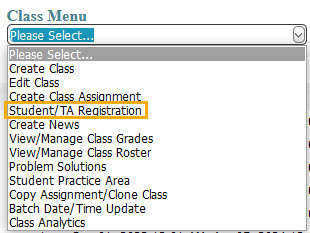
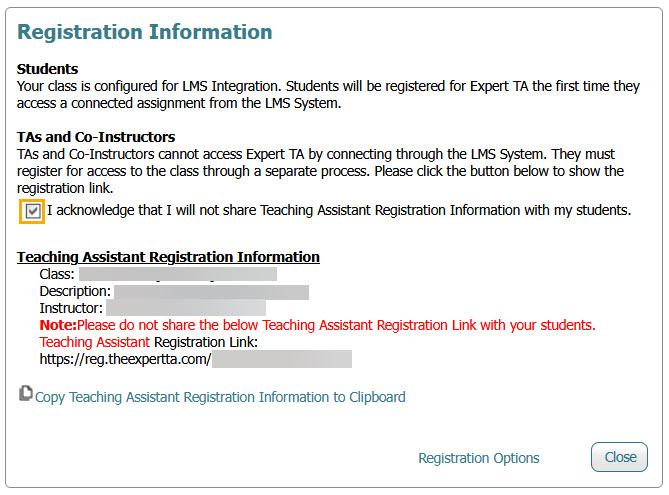
- A pop-up window will appear and display the Student Registration Information.
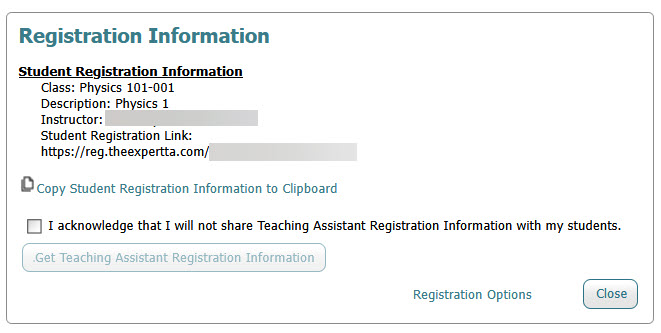
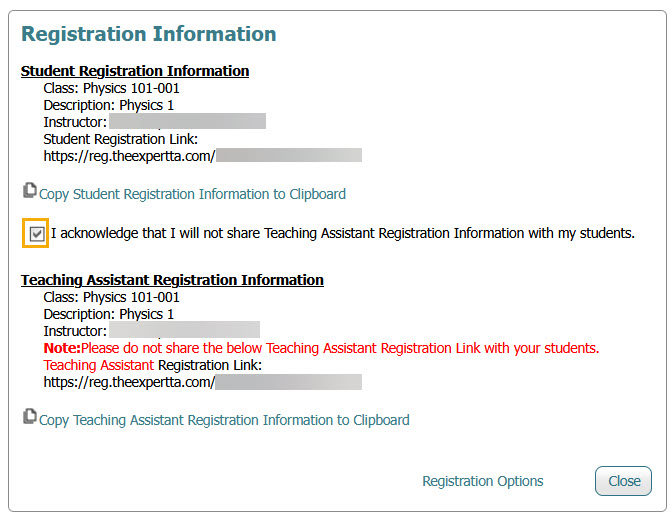
- If you have a teaching assistant or co-instructor who needs access to your class, check the acknowledgment box confirming that you will not share Teaching Assistant registration information with students, then click Get Teaching Assistant Registration Information. The Teaching Assistant Registration Information will appear below the Student Registration Link, where you can either click Copy to Clipboard or copy the Teaching Assistant Registration Link directly to share with your TA or co-instructor.
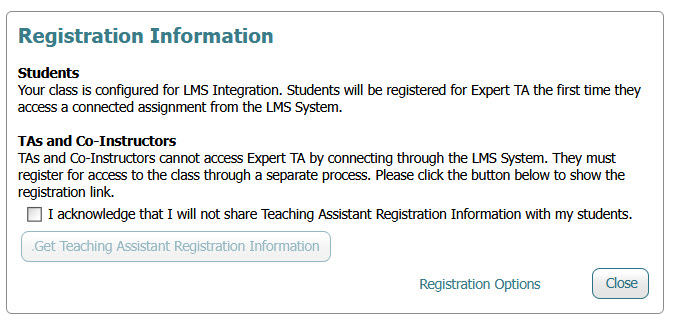
- If your class is integrated with an LMS (Canvas, Blackboard, Moodle, or Brightspace/D2L), this page will look slightly different because Student Registration Information is not displayed. However, you will still follow the same process described above to access the Teaching Assistant Registration Information.
Note: Take great care with the TA registration link, as it provides nearly instructor-level access to the class. This means anyone who registers with the TA registration link will have access to view and edit student grades within the class, among other things.
Student Registration
Provide the Student Registration Information to your students to copy and paste into their browser to begin the registration process for your class. Additional step-by-step registration instructions can be found here.
Note: If you provide the Student Registration Information in your syllabus, make sure to update the link information with the new registration link before distribution at the start of a new term.
TA Registration
Simply provide the Teaching Assistant Registration Information to your TA to copy and paste into their browser to begin the registration process for your class. The registration process for a TA or co-instructor is identical to the student registration process, with the exception that there is no fee for a TA or co-instructor to register for the class so they will not see a payment screen.
Note: If the TA previously used Expert TA as a student with the same email address, please contact your Account Manager or reach out to support@theexpertta.com to have their account re-created for full TA access rights.
Was this article helpful?
That’s Great!
Thank you for your feedback
Sorry! We couldn't be helpful
Thank you for your feedback
Feedback sent
We appreciate your effort and will try to fix the article