Some assignments may be set as timed assignments by your instructor. This means you have a limited amount of time to complete the assignment once you begin.
Starting a Timed Assignment
When you open a timed assignment, you will see a warning message: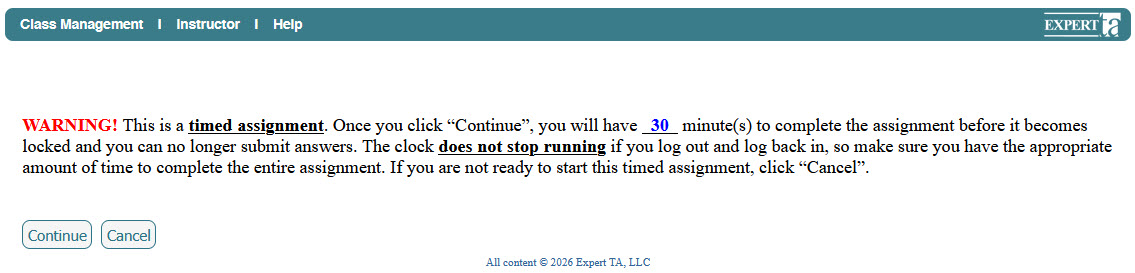
“This is a timed assignment. Once you click ‘Continue’, you will have [time] minutes to complete the assignment before it becomes locked and you can no longer submit answers. The clock does not stop running if you log out and log back in…”
- Click Continue to begin the timer
- Click Cancel if you are not ready to start
Important: Once you click Continue, the timer begins immediately.
During the Assignment
- Your remaining time is displayed near the top left of the screen above the Problem & Status area

- The timer will continue to run even if you leave the assignment or log out
When Time Runs Out
- The assignment will lock, and you will no longer be able to submit answers
- To continue working, you must contact your instructor
Your instructor may:
- Reset your timer, or
- Grant additional time
Note: Support cannot reset timers without instructor approval.
Tips for Timed Assignments
- Make sure you have enough time to complete the assignment before clicking Continue
- Read the warning message carefully before starting
- Keep an eye on the timer while working
Was this article helpful?
That’s Great!
Thank you for your feedback
Sorry! We couldn't be helpful
Thank you for your feedback
Feedback sent
We appreciate your effort and will try to fix the article